



Before launch, it should be clear where the website will run, whether its main actions have been checked and who will look after it afterwards. Technical readiness also includes the transition from the old website, access and how to respond to problems. These decisions are best discussed during the project, rather than on launch day.
No single list is enough for every website. A corporate page with a form and a store with payments have different dependencies. Start with the actions that matter to your business and establish what they need to work in the live environment.
The environment needs someone responsible for it
Choose hosting around the project, expected use and budget for ongoing work. Not every website needs its own VPS. The provider should explain the proposed environment, its costs and who is responsible for it.
Before the transition, confirm who manages the domain, DNS settings and HTTPS certificate. Check public URLs and service renewals. If company email uses the same domain, include it in the change plan too.
The company needs to know which accounts it owns, how to access them and whom to contact for technical work. A password shared in a chat is not enough for a project handover. Agree on business accounts, necessary permissions and removing access when it is no longer needed.
Check actions in the live environment
An approved design and a working test version are important milestones. Before launch, however, check the main journey at the public URL: people find the information, take action and receive a clear result.
For a form, send a test enquiry and confirm that it actually reaches the correct recipient. Review required fields, error messages and confirmation. For a store, checks need to cover the agreed ordering and payment scenarios, beyond the appearance of the product page.
Performance and mobile use are part of this check
Measure important pages and review how they work on a phone. A good tool score does not replace checking that the menu opens, text is readable and the form can be completed. Include the main actions using a keyboard.
If a large image or external script makes a key page difficult to use, assess whether it is necessary and what can change. Prioritise issues by their impact on website use instead of treating every score as equally urgent.
SEO readiness starts before launch
Review titles, descriptions, content and internal links on important pages. Clarify which URLs are canonical, which should be discoverable and which administrative or test pages should stay out of search.
When moving to the public environment, the technical team needs to check that test restrictions, including noindex, have not remained on pages intended for publication. Agree on who will monitor their status in Search Console.
Google’s SEO guide explains that technical and content preparation help search engines discover and understand pages. They do not guarantee indexing or particular rankings. Publishing a website and establishing a search presence are different stages.
If you are replacing a website, plan its URLs
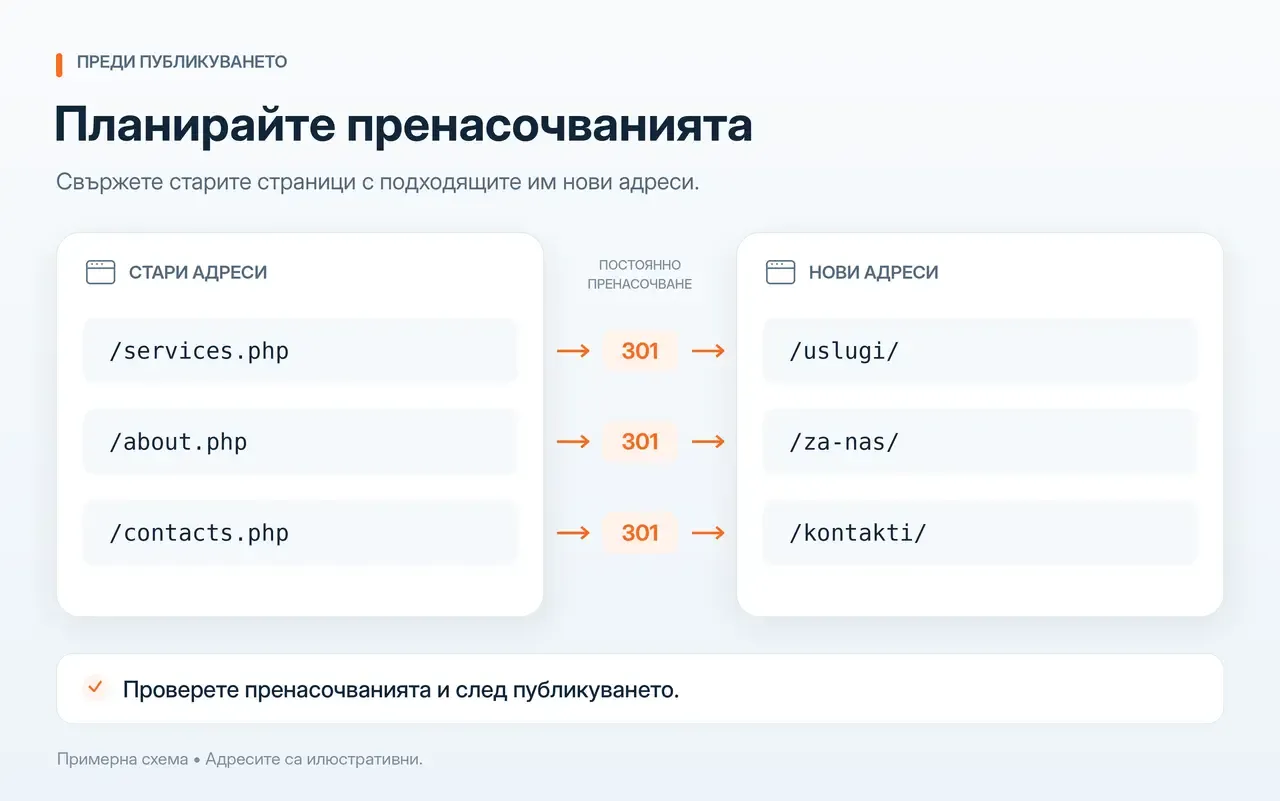
Collect the important old URLs and decide which remain, which have new equivalents and which content is being removed. Prepare redirects before launch and check them afterwards.
In its site migration documentation, Google recommends mapping old URLs to new ones and using permanent server-side redirects where possible. Redirecting every old page to the homepage without a relevant connection is not a useful substitute for that plan.
Also review internal links and URLs in active campaigns. When content or structure changes, the transition is part of the project even if the new pages’ visual design has already been approved.
Decide what to monitor after launch
Choose observations related to the website’s role: submitted enquiries, completed orders or use of important materials. If you will use an analytics tool, agree on what data it collects, who can access it and who uses it to make decisions. The setup is useful when the results are reviewed.
Keep a baseline before the change if the existing website is already measured. After launch, also monitor technical signals: inaccessible pages, failed actions and message delivery problems. Data should lead to a concrete investigation, beyond a report on visits.
Hand over a website people can work with
Agree on who makes backups, what they contain and how recovery is checked. Clarify how changes are approved, who monitors updates and whom to notify about a problem. Separate ongoing technical care from new functionality so the maintenance scope is clear.
In the maintenance and development of the Palisandar OOD platform, technical checks and updates run alongside improvements informed by actual use. This illustrates how post-launch work can combine stability with considered development.
Before launch, there should be a shared understanding of what has been checked, which remaining tasks do not prevent the main work and who will handle them. A problem that blocks a purchase or loses an enquiry is not a minor finishing task. Launch when the agreed core function works and there is a clear plan for the website’s life afterwards.