

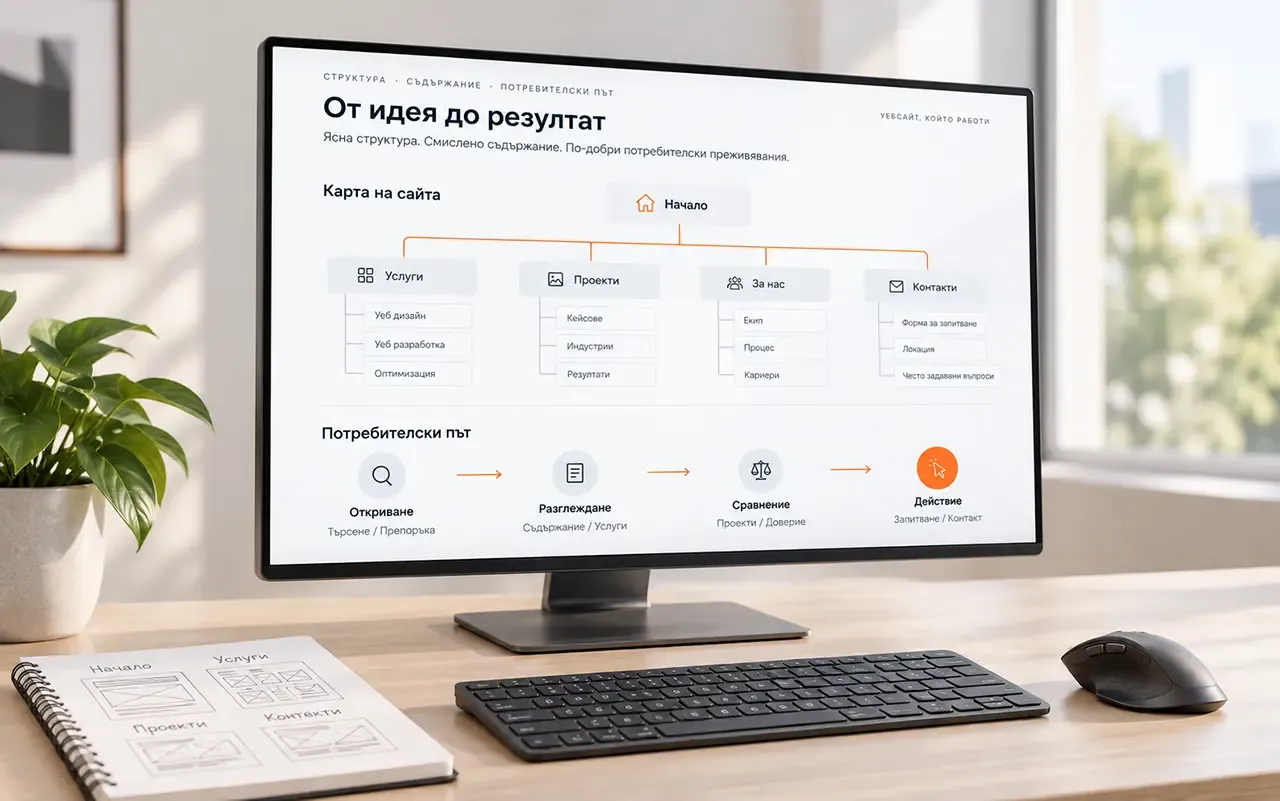

Before visual design, it should be clear what visitors are looking for, where they will find it and what they can do next. Structure, content and the user journey provide the foundation for the interface. Colours and typefaces can support it, but cannot replace a missing answer or an unclear action.
You do not need to finish every piece of copy before starting design. You do need to know the purpose of the main pages, what information they will contain and which important materials are still missing.
Start with the information people need to find
Gather the existing content and review it through visitors’ questions. For a service, these might be: whom is it for, what does it include, how does the work happen and how do we start? For a product: specifications, variants, terms and how to order or enquire.
Note what is current, what repeats and what needs to be prepared. A long company history does not fill the gap left by an unexplained service. A photograph that sets the right mood does not replace an image that helps customers assess a product.
For important gaps, identify who provides the information and who approves it. If content is still unknown, show it as an open project question. Do not approve a screen simply because its placeholder text looks good.
Organise pages around visitors’ tasks
Group related topics and choose understandable names. An internal department or product group name may suit your team, but check whether it means enough to the customer. Navigation should help people choose without prior knowledge of your organisation.
Not every topic needs a separate page, and not every page belongs in the main menu. Establish the main entry points to content and how people reach the details from them.
In the RAD-GEAR store, product structure, categories and navigation form part of the work alongside visual materials. Browsing different types of equipment is a specific task around which the catalogue is organised.
For each main page, record which question it answers and where it leads. This turns the sitemap into a plan for how the website is used, beyond a list of names.
Choose one important journey and follow it
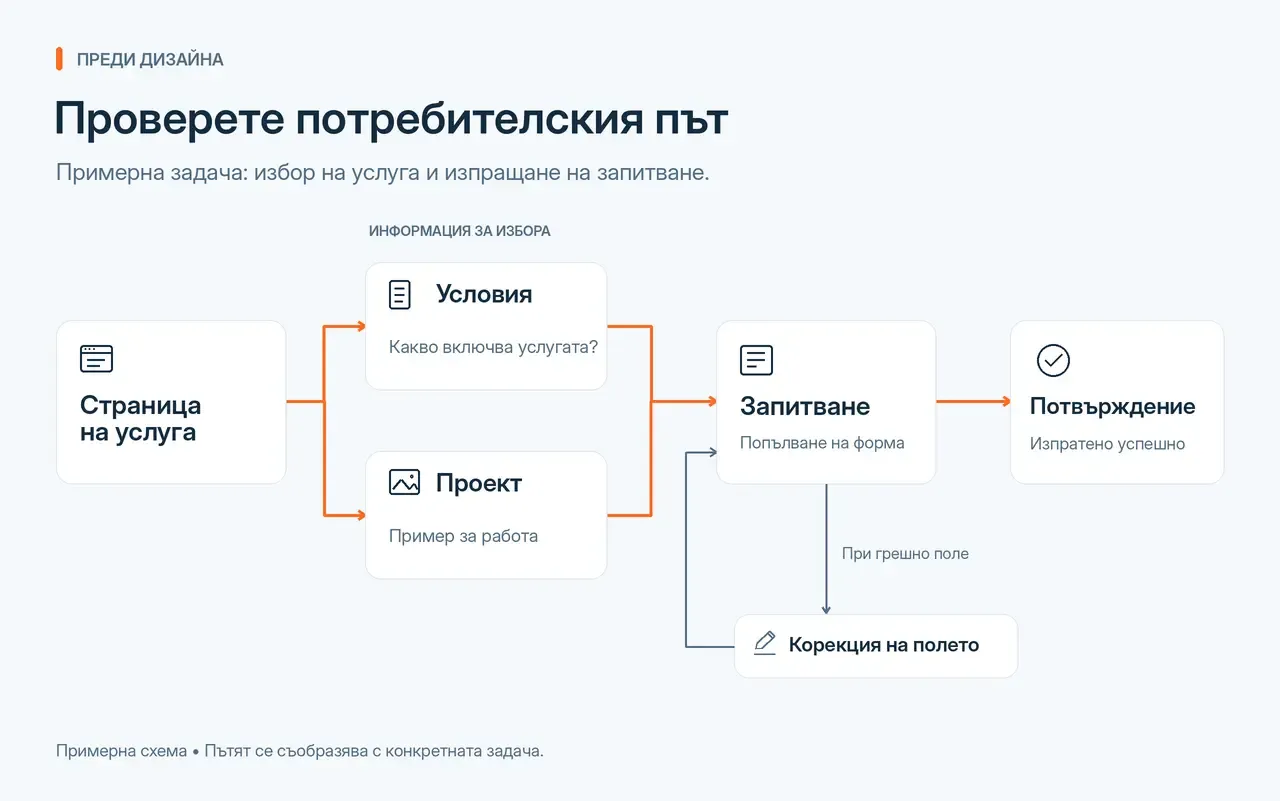
Suppose a visitor is looking for a service and opens its page directly. They may arrive from search or a shared link without seeing the homepage. They need to understand where they are, whether the service fits and how to continue.
Follow the necessary decisions: reading the terms, viewing a project example, opening the form, completing it and seeing confirmation. Check that each step provides enough information. If visitors need to go back merely to find an important condition, the structure needs further attention.
The journey does not have to end with a form. For another website, a useful result may be downloading a document, making a phone call or finding a particular specification. Design for the chosen task.
Give a clear direction when people are not ready
Not every visitor can decide immediately. Provide a useful next step: more detail, a related project or an explanation of terms. It should answer their question, rather than simply send them to more pages.
Consider problem states too. What do people see when search returns no results or a field is completed incorrectly? How do they know an action has finished? These messages and states are part of using the interface.
Check the logic before detailed visual design
Use a simple page map and a wireframe: a rough arrangement of content and actions. If needed, build a clickable prototype of the main journey. The aim at this stage is to check whether people can find their way, rather than approve the final style.
Give a specific task to someone who did not arrange the screens, such as finding the terms of a service and submitting an appropriate enquiry. Observe where they hesitate and what they understand from page and button labels. Ask more than “Do you like it?”
A prototype helps decisions; it does not establish that the finished website works. Forms, accessibility and technical behaviour also need checking after implementation.
Consider phones while organising the content
Check what needs to remain visible when space is limited. Important conditions and actions should not depend on a wide screen. Long menus, comparisons and forms need their own assessment for phone use.
Check more than whether blocks stack vertically. Review whether people can find the information, open navigation and complete the main action. This gives design and development concrete tasks.
When is there enough to start visual design?
When the purpose of the main pages is clear, information is organised, important actions have been followed through and content gaps have an owner. Every detail does not need to be final. Some decisions will develop alongside design and implementation.
But if you still do not know what people need to understand or do, do not approve the visuals as a complete solution. Return to that question. This gives visual design a clear task: making content, navigation and actions understandable as a whole.